

AlphaCapture
AlphaCapture is an iPhone camera app built around a full-screen EVF-style viewfinder and Apple ProRAW still capture: live preview with telemetry (aperture, shutter, ISO, EV, white balance in Kelvin), optional histogram or luminance waveform, tap-to-focus, face lock, physical lens selection (0.5× / 1× / 4×), immersive viewfinder mode, optional monochrome preview for judging exposure, and a large shutter for DNG ProRAW files when your device and pipeline support full-resolution capture.
AlphaCapture v1.0
We are live and you're officially invited to see what's new. Download on the App Store today.
Either click the link on the left or: AlphaCapture
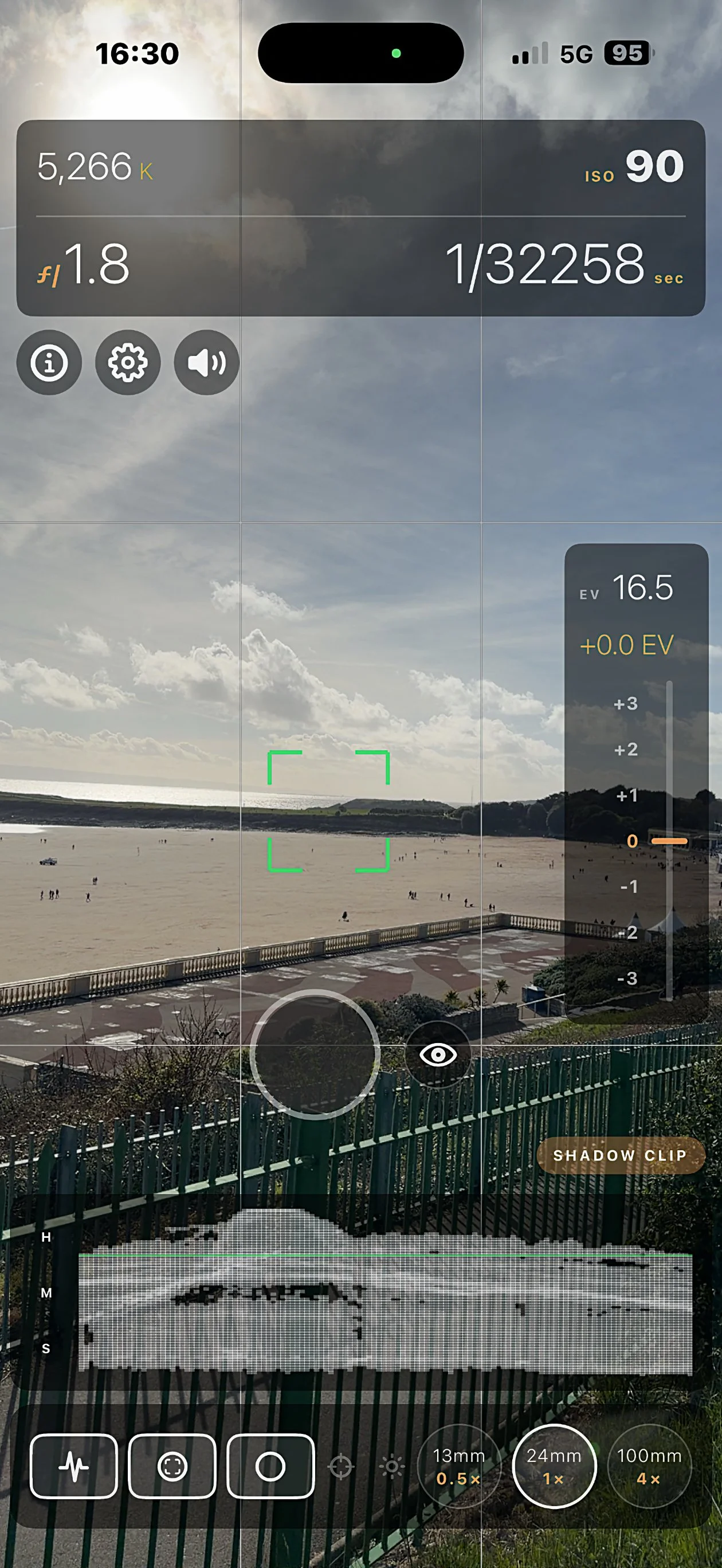
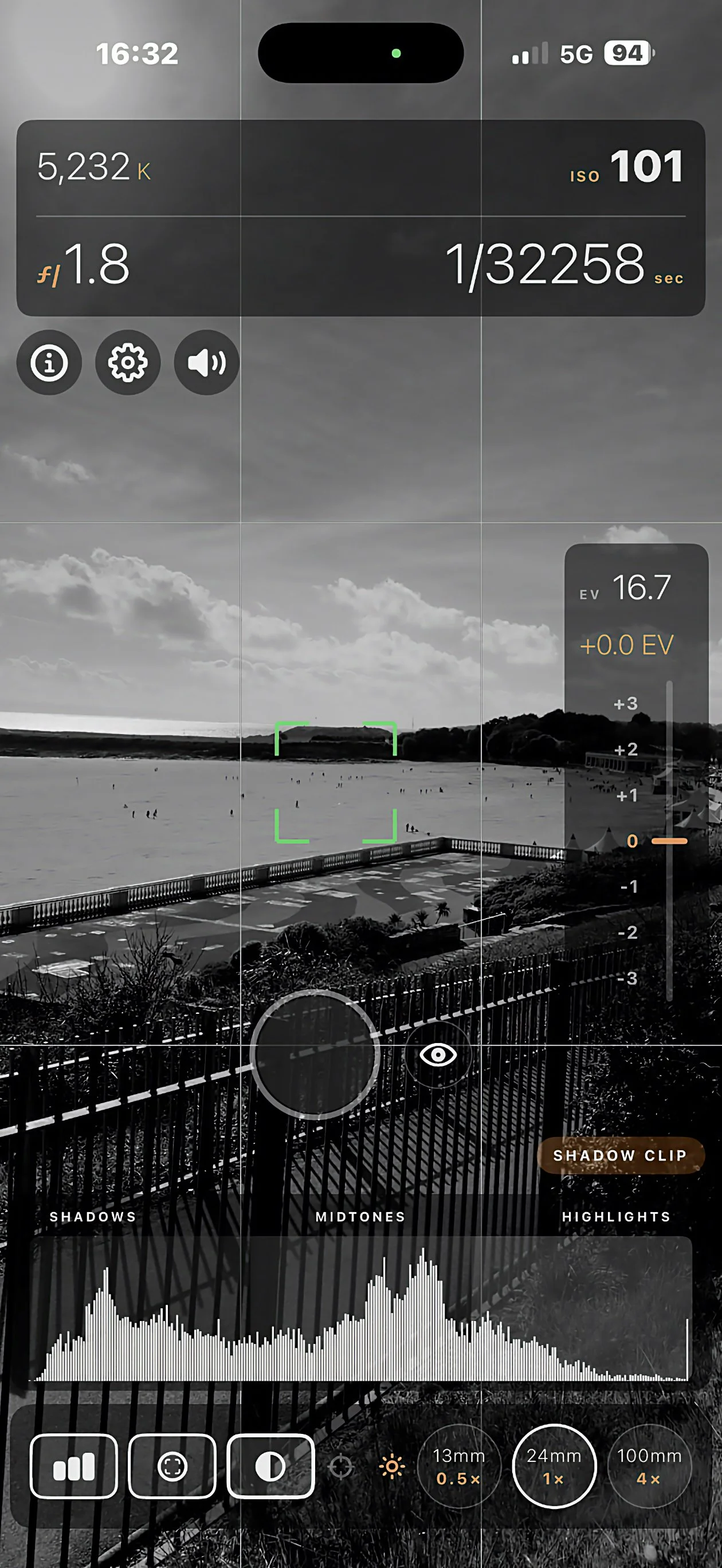
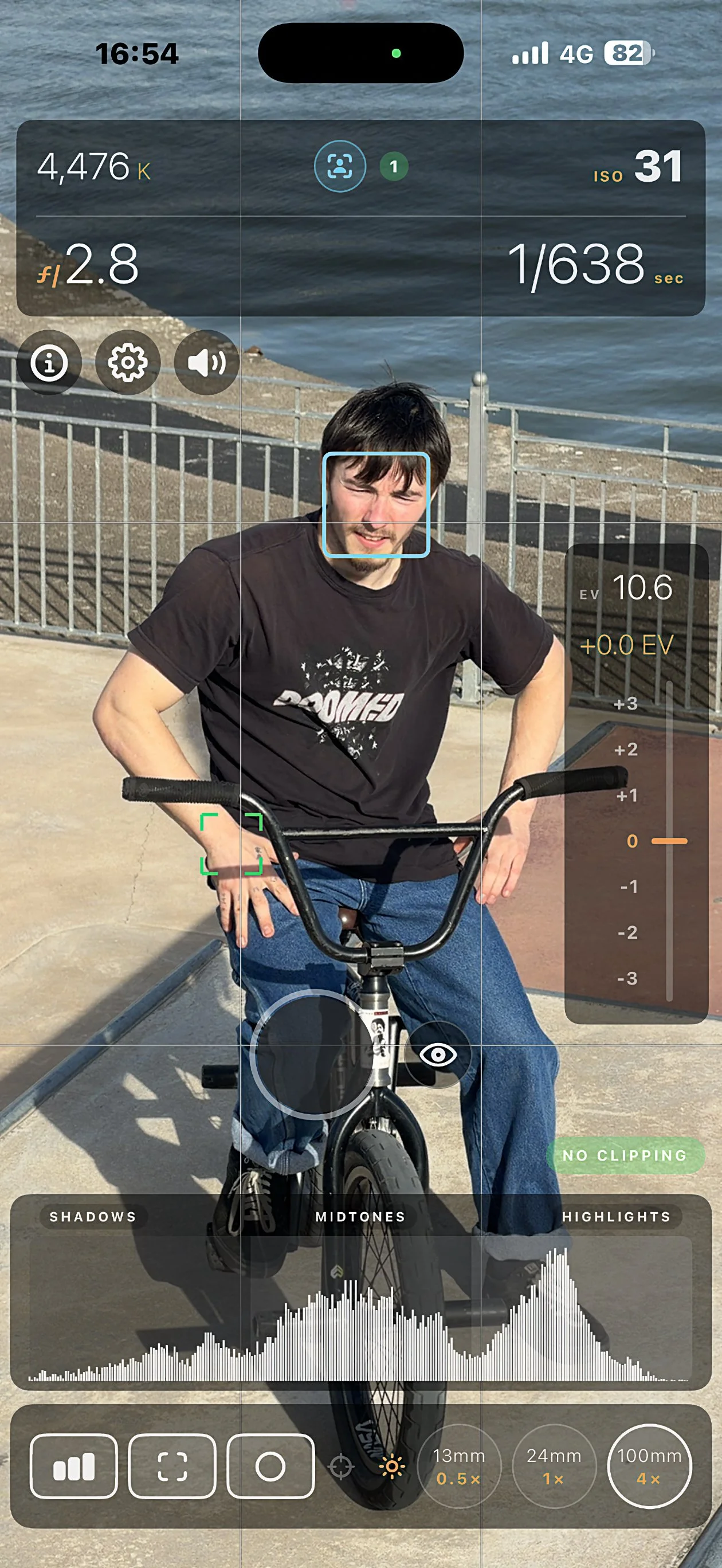
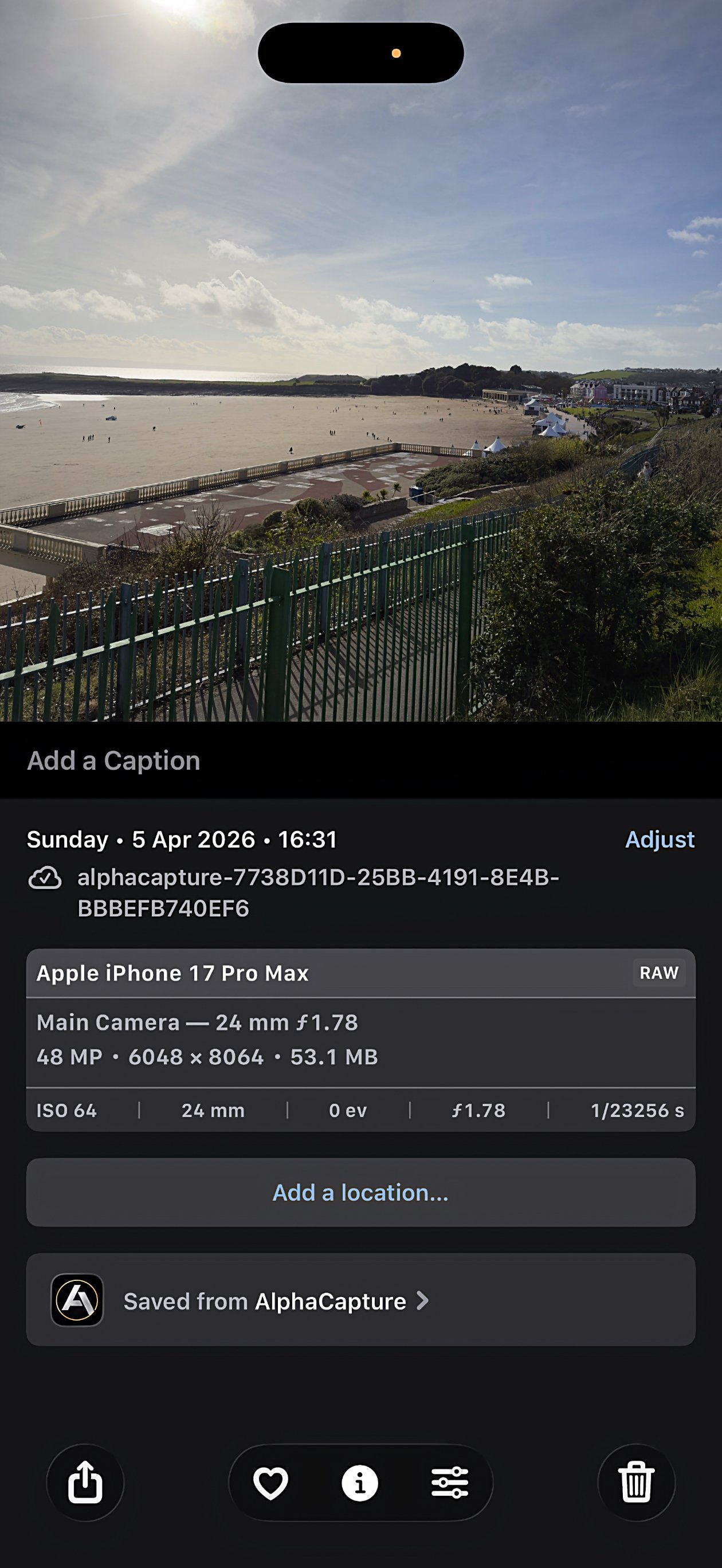
How it works
Grant camera access: the app uses the camera for live preview, metering, focus, face detection overlays, and capture.
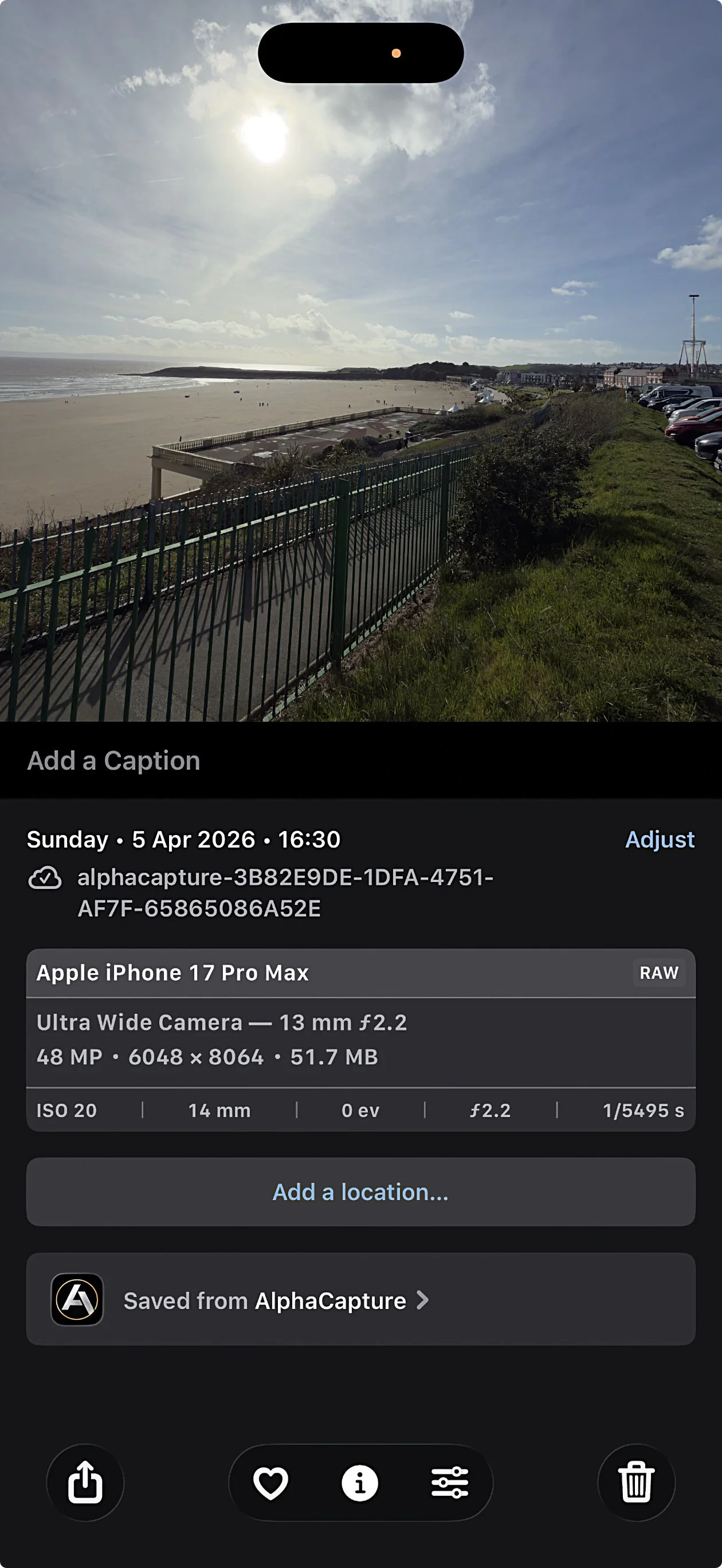
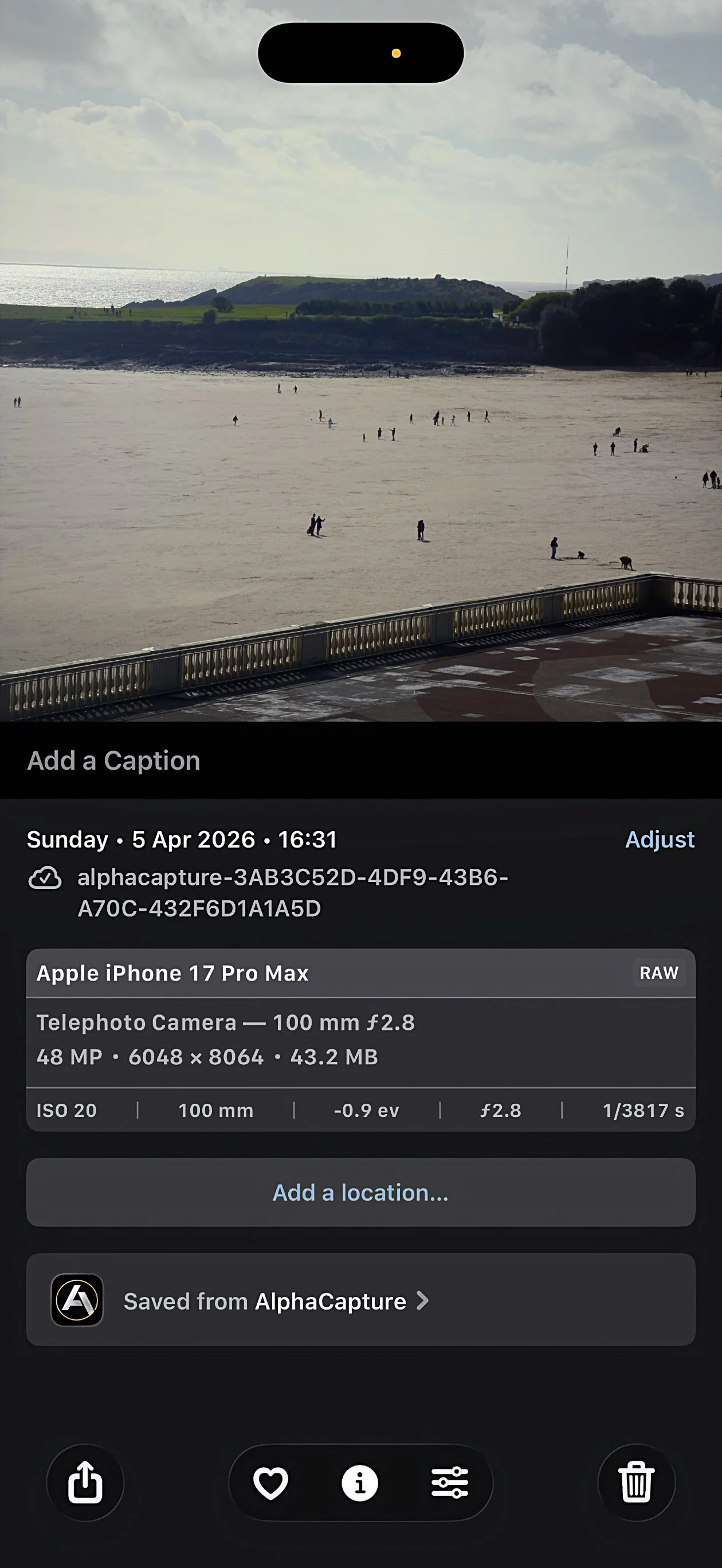
Choose a lens: tap 0.5× 13mm, 1× 24mm or 4× 100mm to select the physical ultra-wide, wide, or telephoto module (where available). Wait briefly for the ProRAW / full-resolution pipeline to lock; haptic feedback indicates the lens is engaged.
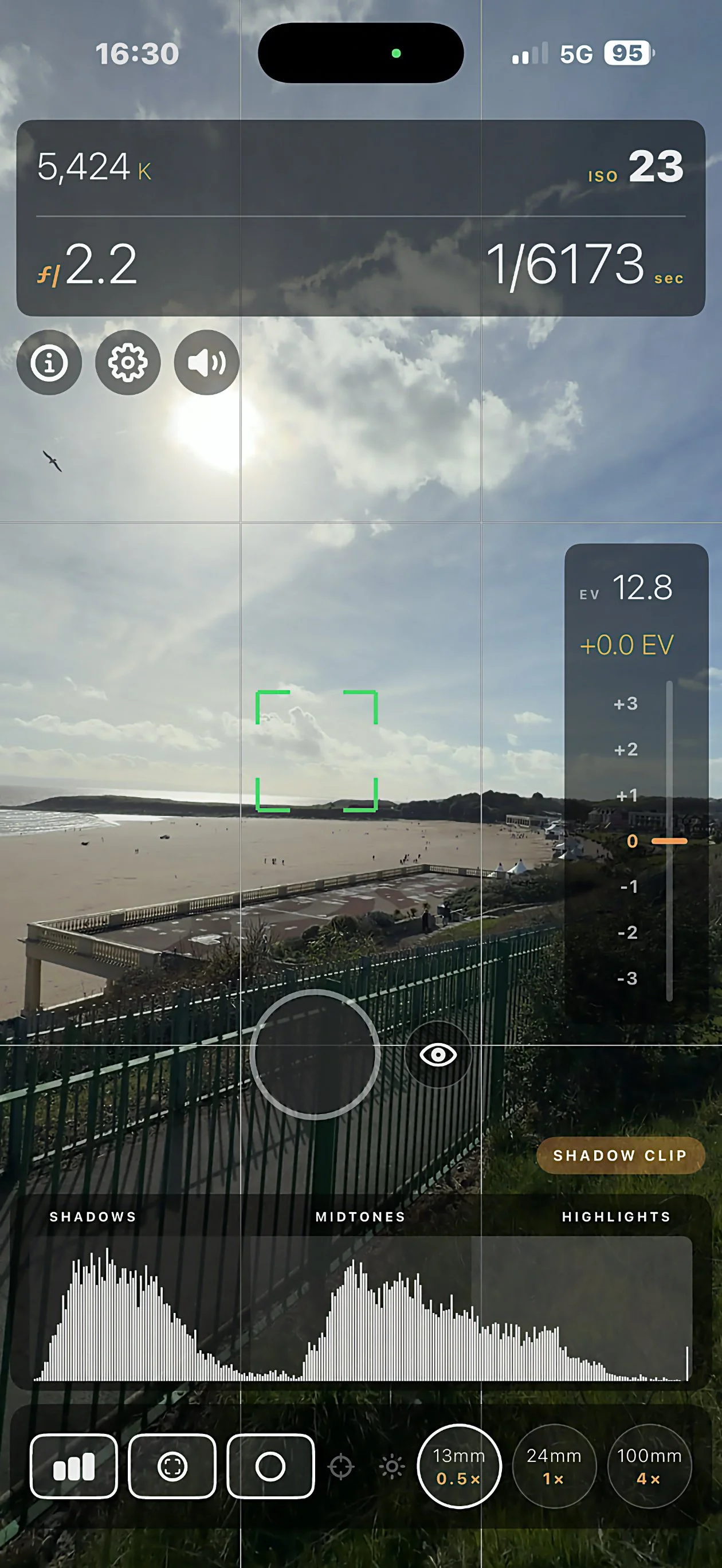
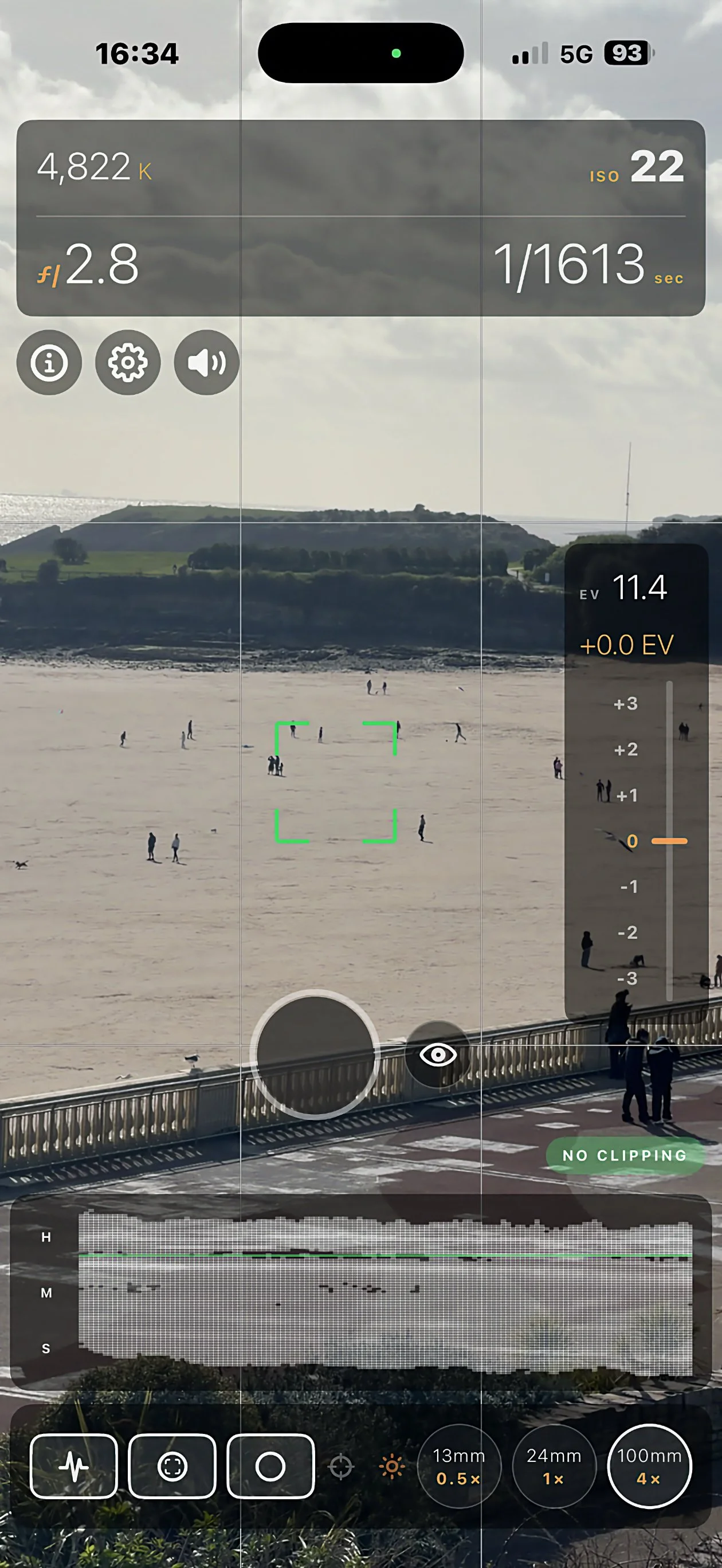
Frame and meter: top readouts show aperture, shutter, ISO, Kelvin, and scene EV. Use the histogram or waveform to judge shadows, mid-tones, and highlights.
Tap the preview to focus at a point; green corner brackets show the tap. If a face box appears, tap it to lock follow-focus on that person; a cyan icon in the top bar shows face lock, tap again to unlock.
Adjust brightness: long-press the preview, then drag up to brighten or down to darken (exposure compensation, roughly −3…+3 EV on the scale). The orange line is your bias.
Review clipping: the clipping pill above the scope strip summarises shadow clip, highlight clip, or no clipping from the live histogram.
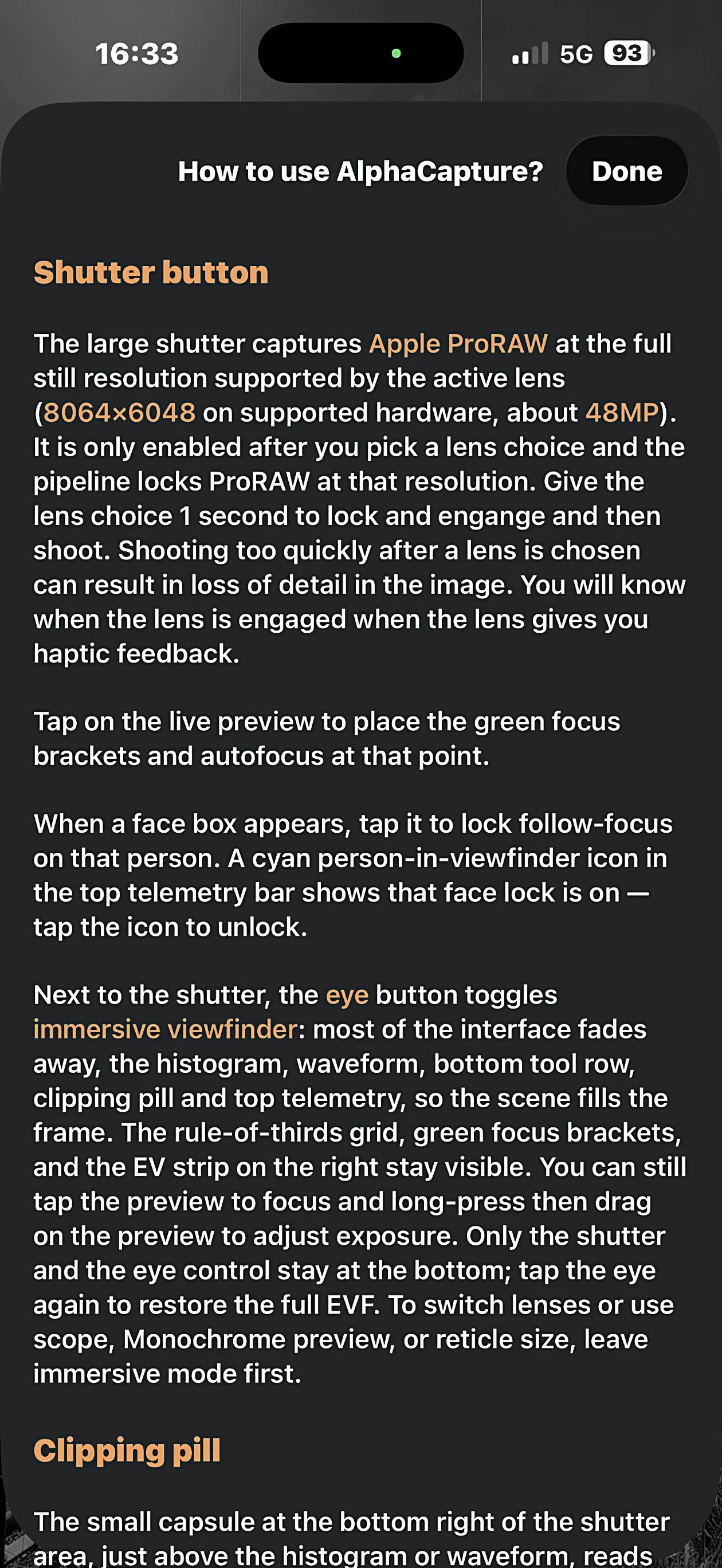
Capture: tap the large shutter to shoot Apple ProRAW (DNG) when the pipeline is ready. Follow on-screen steps to save to Photos when offered.
As a photographer you will also approach the Monochrome EVF option, so you can shoot looking for shadows and highlights. Don’t worry, you are shooting RAW, so the monochrome is not burnt into the DNG file. You are just viewing in monochrome. It’s a great feature!
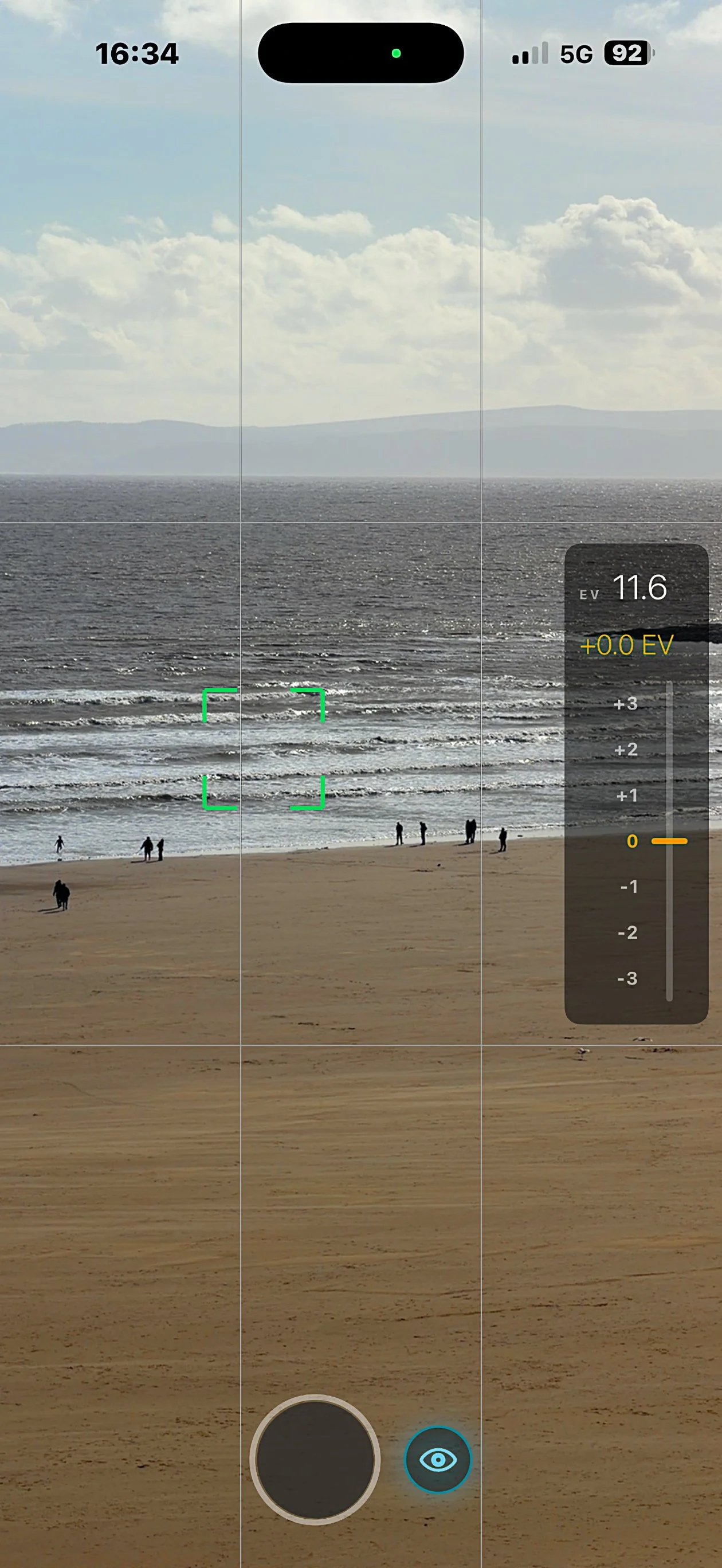
Immersive mode: tap the eye next to the shutter to hide most chrome and fill the frame with the scene; grid, focus brackets, EV strip, shutter, and eye remain. Exit immersive to change lens, scope, monochrome, or reticle size.
About & Guide: from the in-app chrome, open About for version, company, website, email, purchases, and rate on the App Store when configured; open the Guide for the full manual.
Monetisation: 7-day trial (anchored on first launch; synced with iCloud Key-Value when available, with local fallback) and a one-time non-consumable Full Unlock; Restore purchases on the paywall and in About.
General features
Scope (histogram / waveform)
Tap the scope control to switch between a live histogram and a column luminance waveform; one mode stays visible in the normal (non-immersive) layout.
Histogram: whole-frame brightness from shadows (left) to highlights (right).
Waveform: brightness by column, with Shadows / Midtones / Highlights zones, see where in the frame tones sit, not only the global sum.
Clipping pill
Short summary next to the scopes: shadow clip, highlight clip, or no clipping, driven from live histogram data.
Immersive viewfinder
Fades most UI so the scene dominates; keeps grid, focus brackets, EV strip, shutter, and eye.
Still supports tap-to-focus and long-press + drag for EV.
Monochrome preview (EVF only)
Optional on-screen monochrome treatment (contrast, black point, highlight/shadow emphasis) to judge exposure; does not alter the ProRAW file.
Focus reticle size
Toggle larger corner brackets for precision tap-to-focus.
Bottom-bar AF / AE
Orange pulse while autofocus or auto exposure is still ramping; settles when stable.
App features (capture & readouts)
Aperture
Readout reflects the active physical lens; on iPhone, aperture is fixed per module, the value tells you which lens is live and its role in exposure.
Shutter speed
How long each preview frame is exposed. Faster speeds freeze motion; slower speeds brighten but add blur or shake risk.
ISO
Sensor gain. Higher ISO brightens in low light with more noise; the app keeps exposure automatic while you use EV to nudge overall brightness.
AWB with Kelvin
Estimated white balance as Kelvin (K) for judging warmth vs coolness while the camera auto white balances.
EV (exposure compensation)
Stops of bias vs the metered scene via Apple’s exposureTargetBias; use the right-hand scale and long-press + drag on the preview.
Lenses & ProRAW
0.5× (~13 mm), 1× (~24 mm), 4× (~100 mm) select real rear cameras, not a main-sensor crop sold as telephoto.
Shutter records Apple ProRAW at the full still size the active lens supports when the pipeline is locked (8064×6048 class on supported hardware, about 48MP, often discussed as ~45MP in editing workflows).
Do not fire immediately after switching lenses; allow ~1 second for lock-in to avoid detail loss or downgraded resolution.
4× / distance
For full-res ProRAW on telephoto, stay at least about 2 m (~6–7 ft) from the subject; closer distances may still look like 4× but sometimes yield lower-resolution files (e.g. ~12 MP) due to system camera behavior.
Files
Captures are DNG ProRAW. Before Photos ingests them, filenames may look like alphacapture-<UUID>.dng; Photos may rename in library use the exported file if you need the exact name on disk.
Technical Details in the image pipeline used
Portrait UI; still dimensions are driven by AVCapture formats that list 6048×8064 (or the listed landscape equivalent) and Apple ProRAW support on the active device.
Waveform luma (aligned with the app’s processing): Y = 0.2126R + 0.7152G + 0.0722B, normalised, same spirit as Rec. 709 luma where applicable.